How to Explain Any Code Using AI — Free Tool for Developers
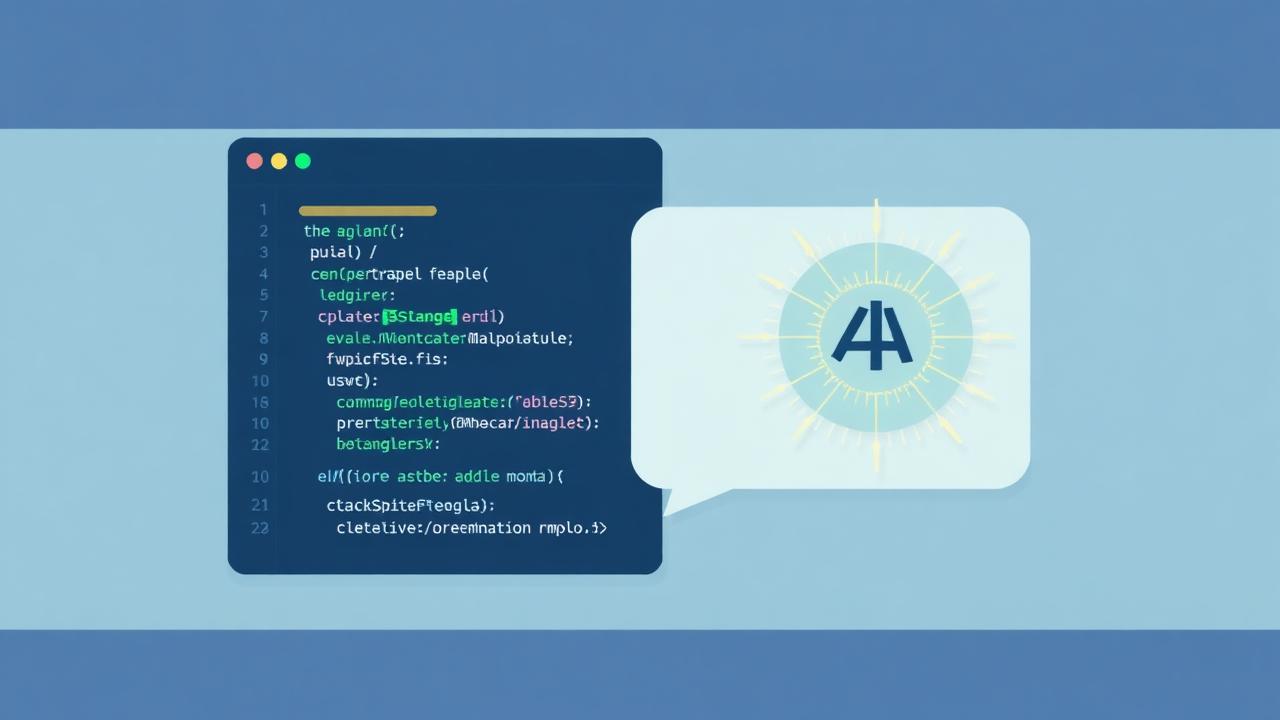
Whether you are a junior developer trying to understand a codebase, a student learning programming, or a senior engineer doing code review, understanding unfamiliar code quickly is a universal challenge.
AI has changed this completely. What used to take 30 minutes of careful reading and Googling can now be understood in 30 seconds. This guide shows you how to use AI to explain, debug, optimize, and convert code — completely free.
What Can AI Do With Your Code?
Modern AI models understand code in most programming languages. Here is what you can ask AI to do:
- Explain what code does: Get a plain-English summary of any function, class, or script — from a 5-line function to a 200-line module.
- Find bugs and security issues: AI can identify logic errors, potential crashes, security vulnerabilities, and code smells that automated linters miss.
- Optimize for performance: Get suggestions for making code faster, using less memory, or following language-specific best practices.
- Add comments and documentation: AI adds meaningful inline comments explaining the why behind the code, not just the what.
- Convert between languages: Translate a Python script to JavaScript, a SQL query to a different dialect, or a class-based component to a functional one.
- Generate unit tests: AI writes comprehensive test cases including happy paths, edge cases, and error handling — ready to run.
How FlikTools AI Code Explainer Works
FlikTools Code Explainer at fliktools.net/tools/code-explainer provides six analysis modes in a single interface.
The editor uses Monaco — the same editor that powers Visual Studio Code — with full syntax highlighting, line numbers, code folding, and automatic language detection.
How to use it
Step 1: Visit fliktools.net/tools/code-explainer
Step 2: Paste your code into the Monaco editor. The tool automatically detects the programming language and applies syntax highlighting.
Step 3: Choose your analysis mode:
- Explain — Plain English explanation of what the code does, how it works step by step, concepts used, complexity analysis, and use cases.
- Find Bugs — Scans for errors, security issues, and logic problems. Each bug shown as a card with severity, the problematic code, the fix, and an explanation. "Apply Fix" patches the code directly.
- Optimize — Side-by-side comparison of original and optimized code with a list of improvements made and estimated performance gains.
- Add Comments — Returns the same code with clear, meaningful comments. Comments explain why the code works, not just what it does.
- Convert — Translates the code to another programming language while preserving all functionality.
- Generate Tests — Writes a complete test file using the standard testing framework for the language — Jest for JavaScript, pytest for Python, JUnit for Java.
Step 4: Click Analyse and review the results.
Step 5: Copy the output, apply fixes directly in the editor, or download the result as a file.
Supported Languages
The tool supports over 20 programming languages including JavaScript, TypeScript, Python, Java, C, C++, C#, PHP, Ruby, Swift, Kotlin, Go, Rust, SQL, HTML, CSS, Bash, and R.
Language detection is automatic — paste any code and the editor identifies the language immediately.
Real Examples of What AI Explains
Example 1 — Python Sorting Algorithm
Pasting a bubble sort implementation returns: an overview explaining it sorts an array by comparing adjacent elements, a step-by-step breakdown of both loops, identification of the O(n²) time complexity, and a suggestion to use Python's built-in sorted() for production code.
Example 2 — React Component
Pasting a React component with useState and useEffect returns: an explanation of what the component renders, how the side effect hook fetches data, what the loading state does, and whether there are any missing dependency warnings in the useEffect.
Example 3 — SQL Query
Pasting a complex JOIN query returns: which tables are being joined and why, what the WHERE clause filters, what the GROUP BY and HAVING clauses do, and whether indexes would help performance.
When AI Code Explanation is Most Useful
- Onboarding to a new codebase: Instead of spending days reading through an unfamiliar project, paste key files and get oriented in minutes.
- Learning programming: Students can paste code from tutorials and get deeper explanations than the tutorial provides.
- Code review: Quickly understand what a pull request does before reviewing it in detail.
- Debugging: When you cannot figure out why something is broken, pasting the function and asking AI to find bugs often surfaces the issue immediately.
- Legacy code: Old codebases with no documentation are especially painful to maintain. AI can generate documentation and comments for undocumented functions.
Frequently Asked Questions
Is FlikTools Code Explainer free?
Yes. No signup, no payment, unlimited use. Paste any code and analyse it as many times as needed.
How long can the code be?
The tool works best with functions or modules up to about 200 lines. For larger files, analyse sections separately for better results.
Can it handle proprietary code safely?
Your code is sent to the AI for analysis only. FlikTools does not store code or share it with third parties. For highly sensitive proprietary code, consider removing API keys, credentials, and identifying information before pasting.
Is it accurate for all languages?
The AI performs best with popular languages like JavaScript, Python, Java, and SQL. Less common languages may produce less detailed results.
Can it fix bugs automatically?
Yes. The Find Bugs mode includes an Apply Fix button that patches the identified issue directly in the editor. Each fix can be undone if needed.
Does it work on mobile?
Yes. The editor adjusts to mobile screen sizes. For serious coding work, desktop is recommended for the best experience.
Understand Any Code in Seconds
Stop spending hours decoding unfamiliar code. Head to fliktools.net/tools/code-explainer, paste your snippet, and get an instant explanation, bug report, or optimized version — completely free.
Ready to try it?
AI Code Explainer is free to use — no signup, no limits.
Try AI Code Explainer NowYou might also like
How to Compress PDF Without Losing Quality (Free & Online)
Large PDF files are frustrating. They bounce back from email inboxes, take forever to upload, and eat up storage space. The good news? You can compress any PDF in seconds — completely free, without installing any software.
Freelancing10 Free Online Tools Every Indian Freelancer Needs in 2025
India now has over 15 million freelancers — the second-largest freelance workforce in the world. Here are 10 genuinely useful free online tools that every Indian freelancer should have bookmarked.